Invoices
The Invoices page lists everything you have created, drafts and issued documents alike, with the status, total, and a PDF download for each.
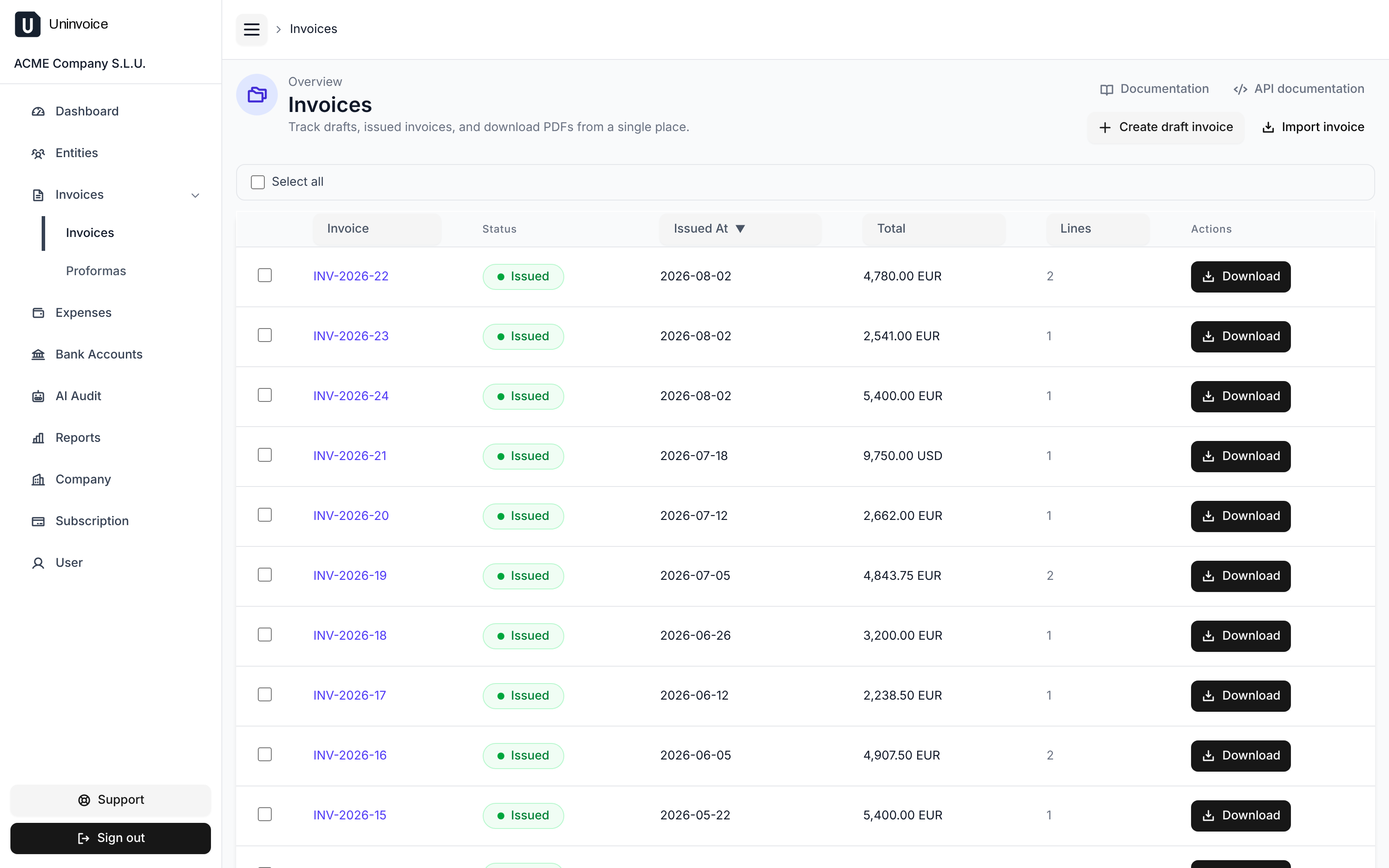
Draft, then issued
An invoice has two lives:
| Status | What it means |
|---|---|
| Draft | Created but not final. It carries no invoice number, has no legal effect, and is not reported to any tax agency. |
| Issued | Final. It has its number, its date, its PDF, and, where required, its tax-agency record. |
You always create a draft first, review it, and then issue it. Issuing is one-way: an invoice cannot be un-issued, edited, or deleted afterwards. That is what corrective invoices are for.
A draft invoice is meant to become an invoice. If you are still quoting and the work may not happen at all, send a proforma instead: those can be deleted.
Creating a draft
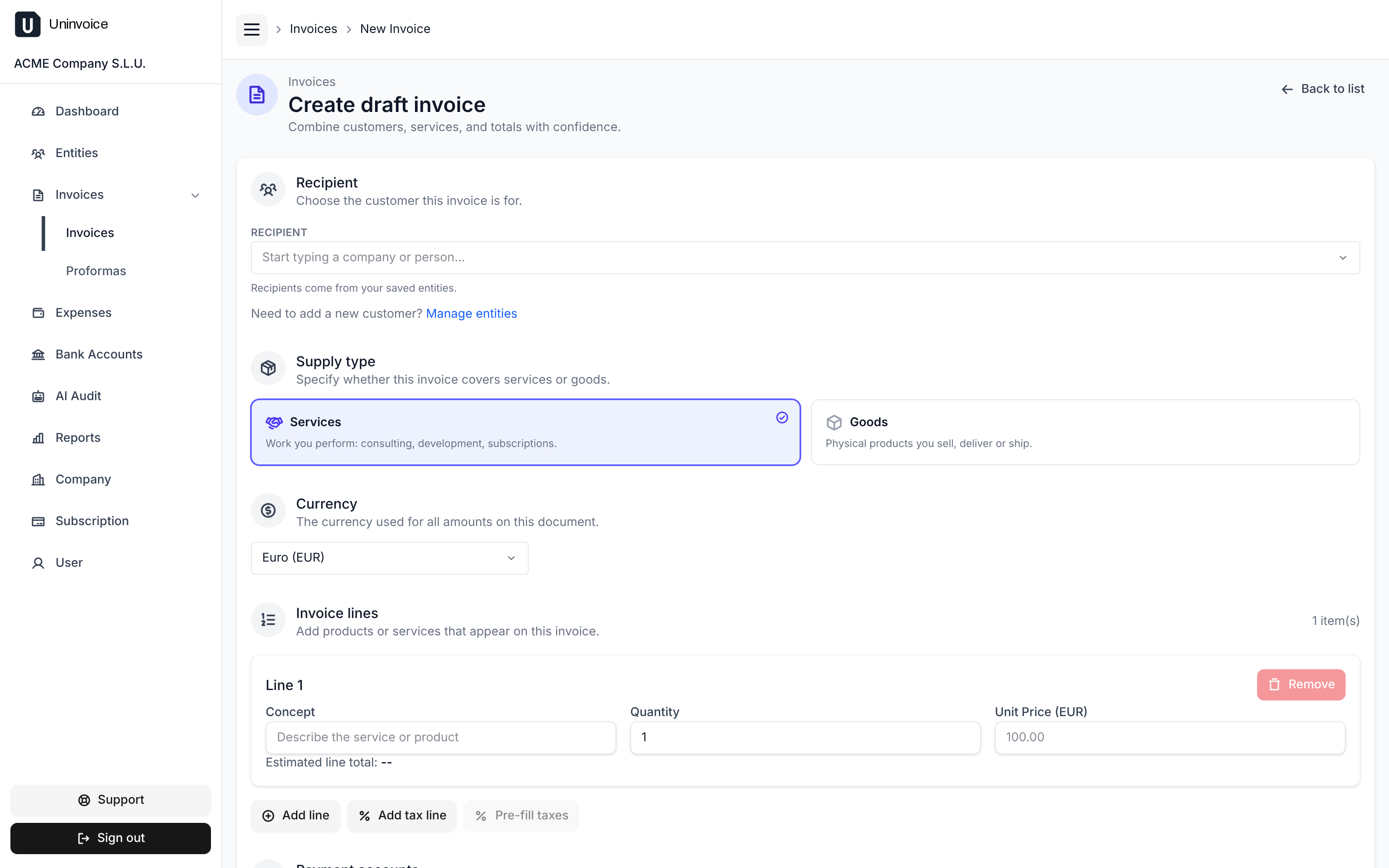
Pick the recipient, then add:
- Line items: concept, quantity, and unit price. Quantities can be
fractional (
95.6hours is fine). The line total is calculated for you. - Tax lines: VAT, retentions, and so on. uninvoice.app can pre-fill the usual taxes for the recipient's country; always check them.
- Supply type: whether you are billing goods or services.
- Language: the language the document is written in, which sets its labels, its dates and how its amounts are formatted. It defaults to the language you read uninvoice.app in, and it is worth changing when the customer reads another one: the text your template adds after the invoice, and the concepts you type on the lines, are already in whatever language you wrote them in. The choice is frozen onto the document, so an invoice never changes language after you send it, not even if you switch your own later.
- Currency: defaults to the customer's currency, or your company's.
- Payment accounts: the accounts you select appear on the invoice as payment instructions. See Bank accounts.
- Custom fields: any placeholders your template declares, such as a purchase-order number.
If your template converts amounts to another currency, you will also be asked for the exchange rates to use. Leave them empty and uninvoice.app fetches the official reference rate when you issue the invoice, then freezes it onto the document so the printed conversion never changes.
Issuing an invoice
Issuing assigns the next invoice number from your company's numbering series, stamps the issue date, and renders the final PDF.
If you are established in Spain
Invoices must be reported to the tax agency under Veri*Factu, and uninvoice.app will not let you issue until you have authorized it to submit records on your behalf. See the Veri*Factu guide.
The record is always in euros, even when the invoice is not. The Veri*Factu record has no currency of its own, so its amounts are euros by definition. Invoice a customer in dollars and the document you send them stays in dollars, while the record sent to the tax agency carries the euro equivalent.
The rate used is the reference rate on the day you issue, unless you supplied one yourself when creating the invoice. It is then frozen onto the invoice: the declared figures never move afterwards, however the market does. The record also states the conversion it applied, so the two documents can be reconciled against each other.
One consequence worth knowing: the totals on your invoice and the totals the tax agency holds for it are different numbers. That is correct and expected, and the frozen rate is what connects them.
If the rate cannot be obtained when you issue, issuing fails and the invoice stays a draft, rather than being reported with a figure nobody checked.
Correcting a mistake
An issued invoice is never edited. Instead, open it and choose Correct invoice. uninvoice.app opens a new draft that references the original with its lines already negated; you adjust them to describe the correction, then issue it like any other invoice. The original stays in your records exactly as it was, and the pair adds up to what you actually meant to bill.
Importing an invoice issued elsewhere
Import invoice records a document that was created in another system (for example the invoices you issued before moving to uninvoice.app), so your books, dashboard, and reports are complete. You supply the original number and date and the lines, and the invoice is stored exactly as it was.
Imported invoices are not submitted to the tax agency: they are assumed to have been reported already by whatever you used before, and making sure that is true stays your responsibility.
Downloading the PDF
Every invoice has a PDF. You can download one from its detail page, or select several in the list and download them together.