Reports
A report is a PDF about your business over a period of time: the document you send to your accountant, or read yourself at the end of a quarter. You choose what it covers and when, and uninvoice.app renders it in the background and emails you when it is ready.
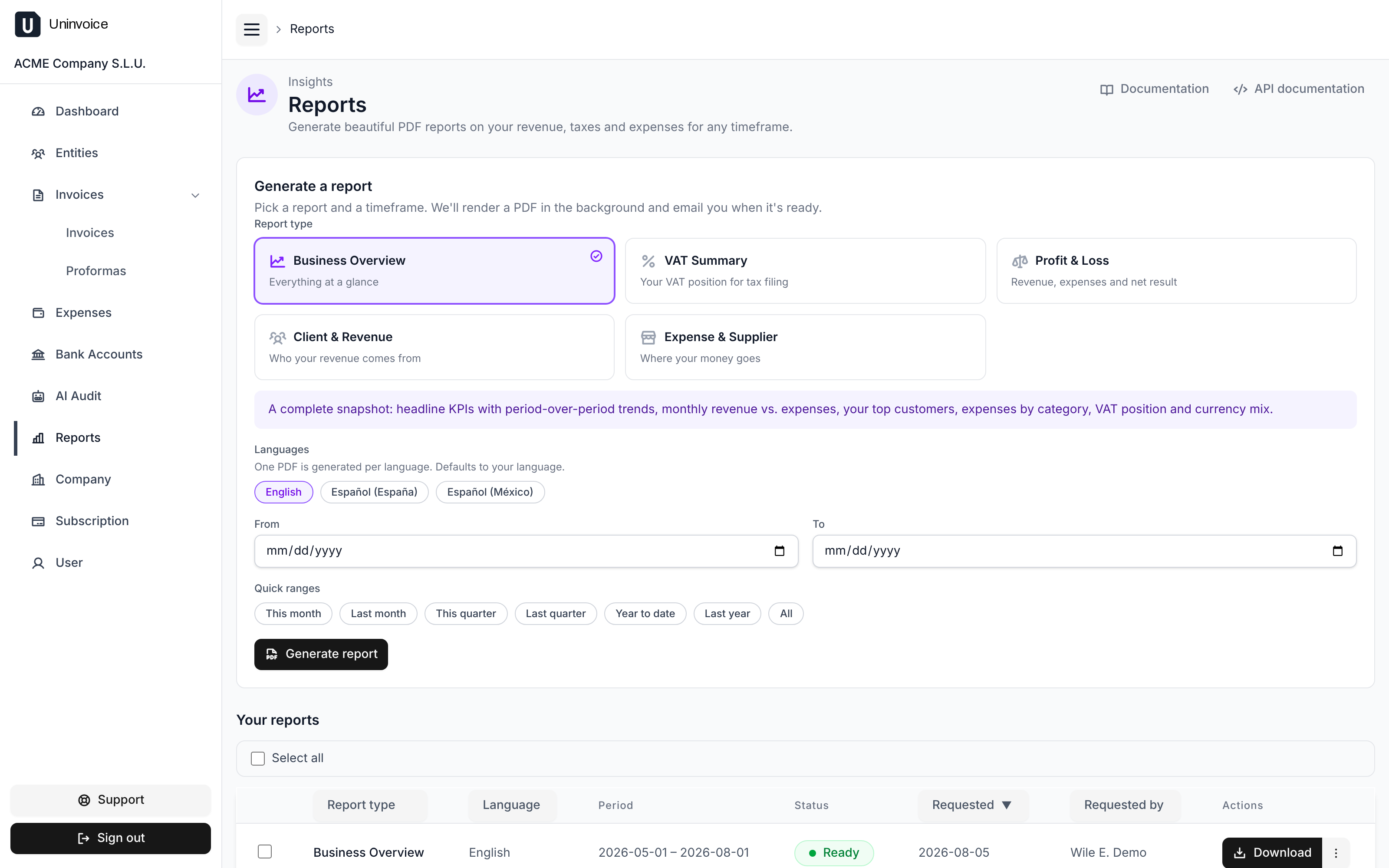
Report types
| Report | What it answers |
|---|---|
| Business Overview | How is the business doing overall: revenue, expenses, the trend month by month, top customers. |
| Profit & Loss | What came in, what went out, and what is left. |
| VAT Summary | The VAT you charged versus the VAT you paid, for a filing period. |
| Client & Revenue | Where the revenue comes from, customer by customer. |
| Expense & Supplier | Where the money goes, supplier by supplier. |
Choosing a timeframe
Set from and to dates, or use a quick range: this month, last month, this quarter, last quarter, year to date, last year, or all time.
One PDF per language
Pick one or more languages and you get one PDF per language, useful when the same figures go to an accountant in one country and a partner in another. The PDF and the notification email are both written in that language, and a report's language never changes afterwards. Leave the picker alone and the report is rendered in your own language.
Generating and downloading
Requesting a report puts it in a queue; it appears in the list right away as pending, becomes ready once rendered, and failed if something went wrong. You do not have to wait on the page: the download link is emailed to you.

From the list you can download a report, download several at once, or delete the ones you no longer need. Reports are stored privately and downloaded through your own session.
The figures match the dashboard
Reports and the dashboard compute revenue, expenses, VAT, and counts from the same definitions, so a report over the same period tells you the same thing the dashboard does.
Amounts in more than one currency are never silently added together. The report shows your base currency, lists each other currency separately, and, where it can, adds an explicit converted total at one reference rate, printed on the page so you know exactly what was used.