Company settings
The Company page holds everything about you: the details that appear on the documents you issue, and the defaults every new document starts from. It is the first page worth visiting after signing up.
The page is a stack of cards; each one is edited and saved on its own.
Contact information
Your legal name, tax ID, phone and public contact details. These identify you on every invoice.
Users
The Users card controls who may open this company's books. Give access to as many people as you need: your accountant, a colleague, anyone who works on your records. This is not limited on any plan, the free one included. You can grant access, withdraw and restore it, optionally set an expiry date, and rotate the password of a password-login collaborator.
There are no roles or read-only guests yet. Every person you admit can create, edit and delete company records, so only grant access to somebody you trust. Withdrawing their access takes effect immediately.
Address
Your registered address. Country matters beyond the printed line: it determines how invoices you issue are treated, including whether Spanish Veri*Factu reporting applies to you.
Invoice settings
The defaults for new documents:
- First invoice number and first corrective invoice number: where your numbering starts. Set these before issuing your first invoice, so your series continues from wherever you left off in your previous system.
- Reference formats: the shape of the reference for invoices, corrective invoices, and proformas.
- Default currency: used for new documents unless the customer or the document says otherwise.
- Invoice template: the Typst snippet printed under the totals and the footer printed on every page, plus any custom placeholders you want to fill in per invoice. See Customizing templates.
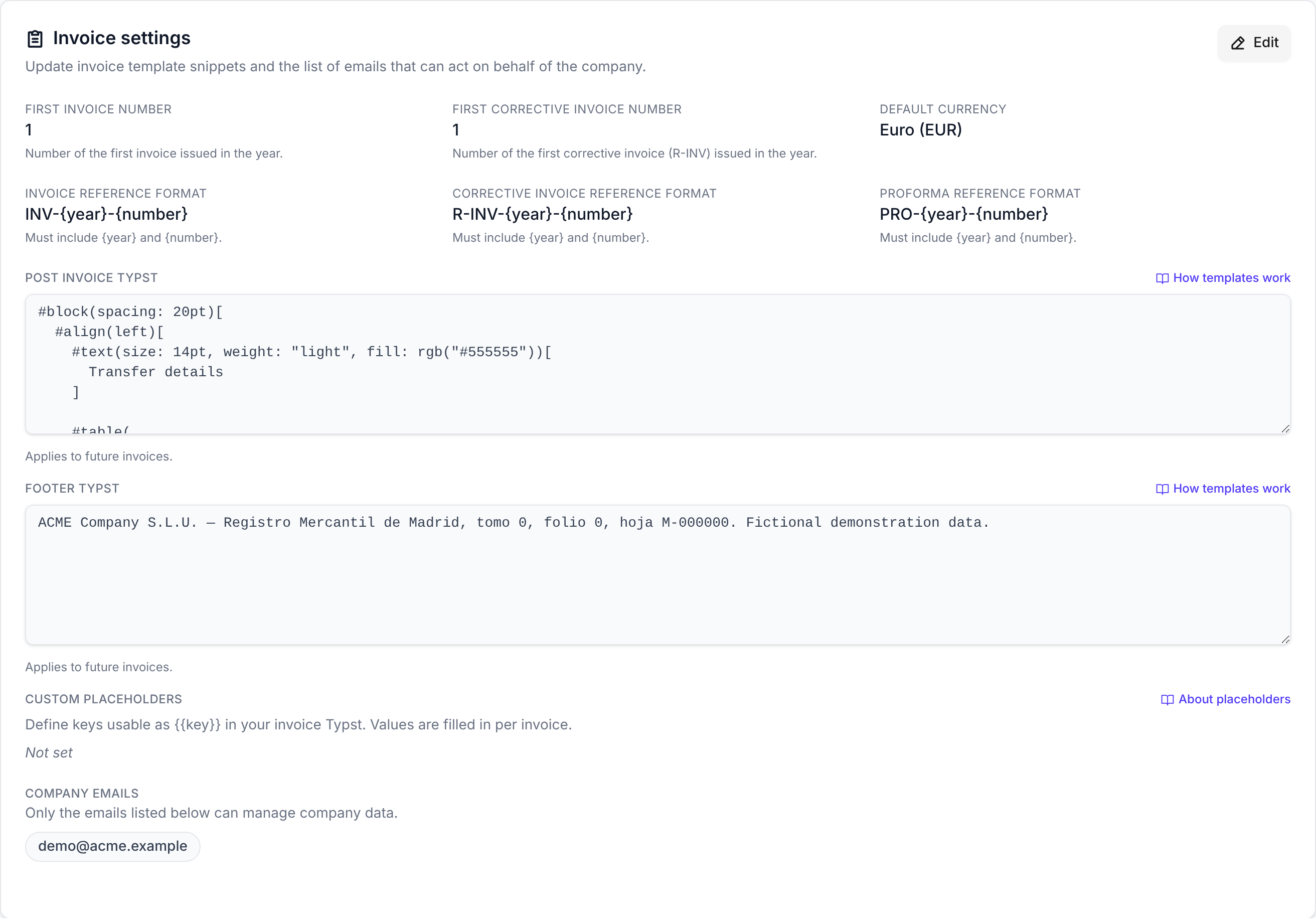
Every setting here affects documents created from now on. Invoices you have already created keep the details, template, and numbering they were created with.
Veri*Factu
If you are established in Spain
This card is where you authorize uninvoice.app to submit invoice records to the AEAT on your behalf, and where you see whether that authorization is pending, active, or revoked. Invoices cannot be issued until it is active. The full explanation is in the Veri*Factu guide.
API keys
Create keys so other software (your own scripts, or an AI agent) can work with your invoices. Two kinds exist:
- A Human key, for integrations you drive yourself. It comes with a companion secret (the human proof) that a request can present to run immediately instead of waiting for approval.
- An MCP key, for AI agents connecting through the MCP server. It has no human proof, so everything it does is held for review.
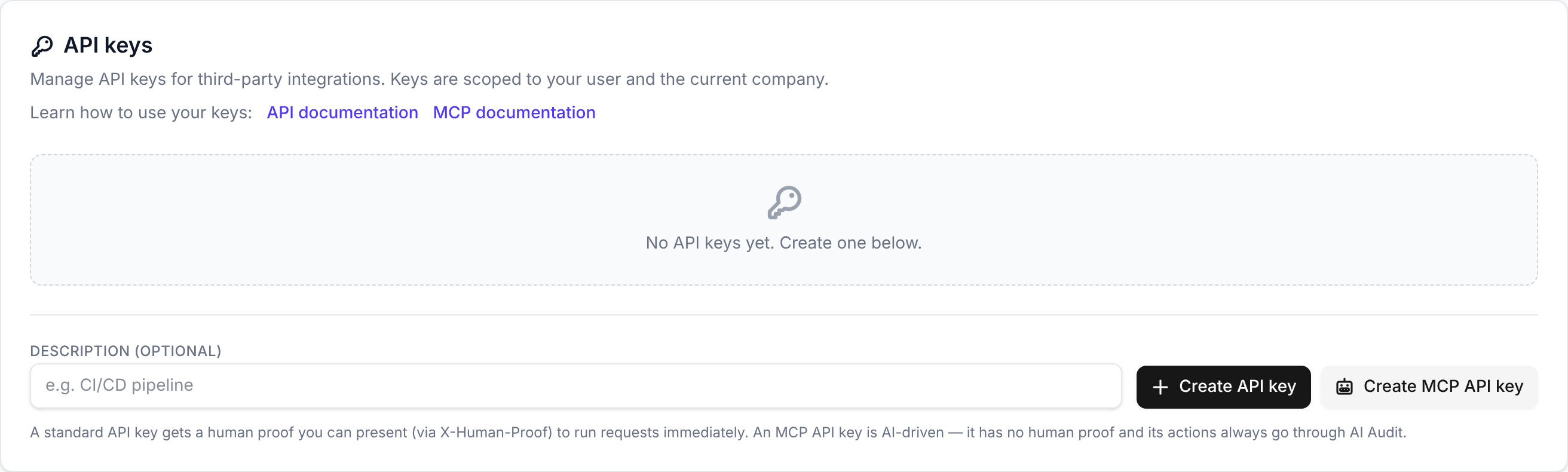
A key is shown once, when you create it. Copy it then; it cannot be shown again.
Any change requested through a key that does not present the human proof is held for your approval before it takes effect. See AI Audit. To build against the API, start with the HTTP API.